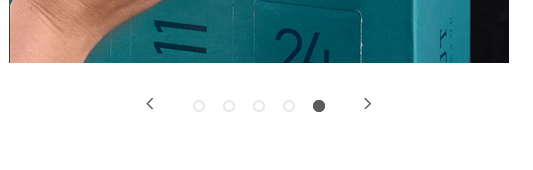
I have changed the default Flexslider options for the Woocommerce single product gallery:
add_filter( 'woocommerce_single_product_carousel_options', '  update_woo_flexslider_options' );

function update_woo_flexslider_options( $options ) {

$options['directionNav'] = true;
$options['controlNav'] = true;
$options['prevText'] = '<';
$options['nextText'] = '>';

return $options;
}
I also used some css to style them for example the control nav as bullets. But I need the prev and next arrows on the side of the bullets, just as in this screenshot. By default, the prev and next navigation is underneath the controlnav. How can I move the arrows to the left and right side of the bullets?