How can I select or change the theme on pudb (Python Debugger)?

1.8k views Asked by At

I've been using pudb to debug python code, it's pretty straight forward and into the terminal. But I don't like the colors it has at all.

It is something like the image below.

I found in the folder inside

.local/lib/python3.8/site-packages/pudb 

a file name themes.py but even if a try to change it there nothing happens
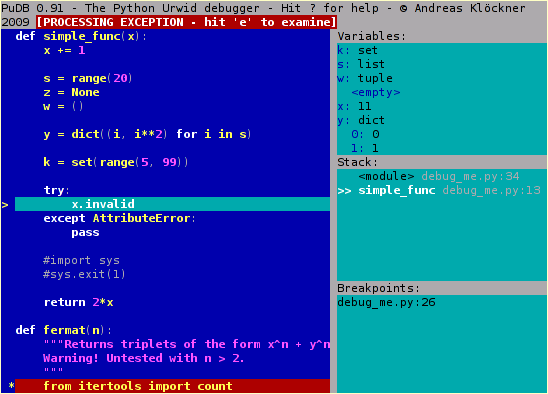
Classic Theme

2

There are 2 answers

0
TheKitMurkit On

There is a config menu Ctrl + p and there you can select a theme.

0
Harsh Verma On

I edited the pudb config file at ~/.config/pudb/pudb.cfg and set theme = dark vim. For example, here is the snippet from my pudb.cfg :

.
.
sidebar_width = 0.5
stack_weight = 1
stringifier = default
theme = dark vim
variables_weight = 1
wrap_variables = Tru
.
.

Available themes(Jan 2023) taken from here are :

THEMES = [
    "classic",
    "vim",
    "dark vim",
    "midnight",
    "solarized",
    "agr-256",
    "monokai",
    "monokai-256",
    "mono",
]